Pitel VoIP Push notification
Pitel VoIP Flow
When user make call from Pitel Connect app, Pitel Server pushes a notification for all user login (who receives the call).
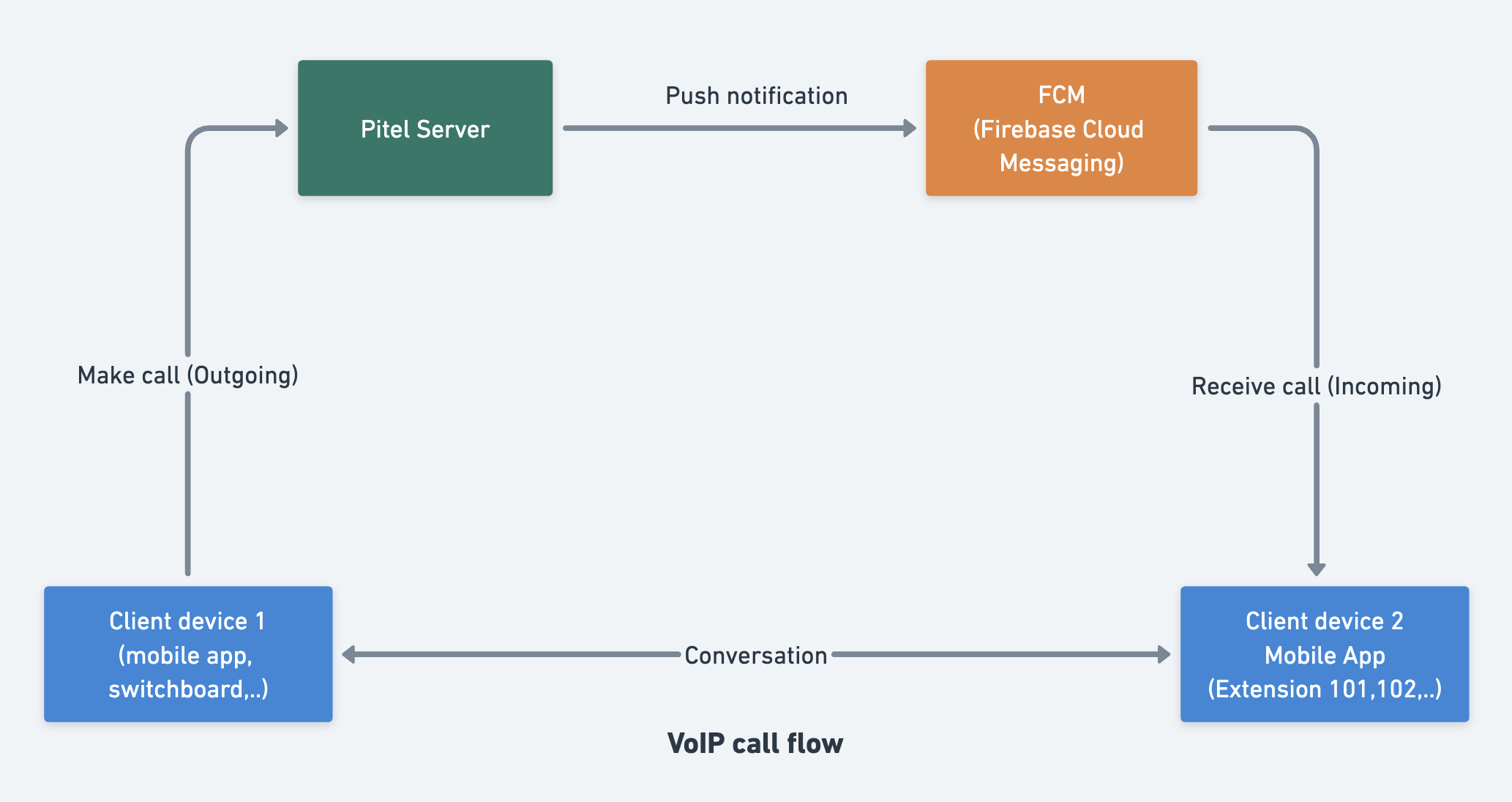
Image callkit
| Android(Alert) - Audio | Android(Lockscreen | Fullscreen) - Audio |
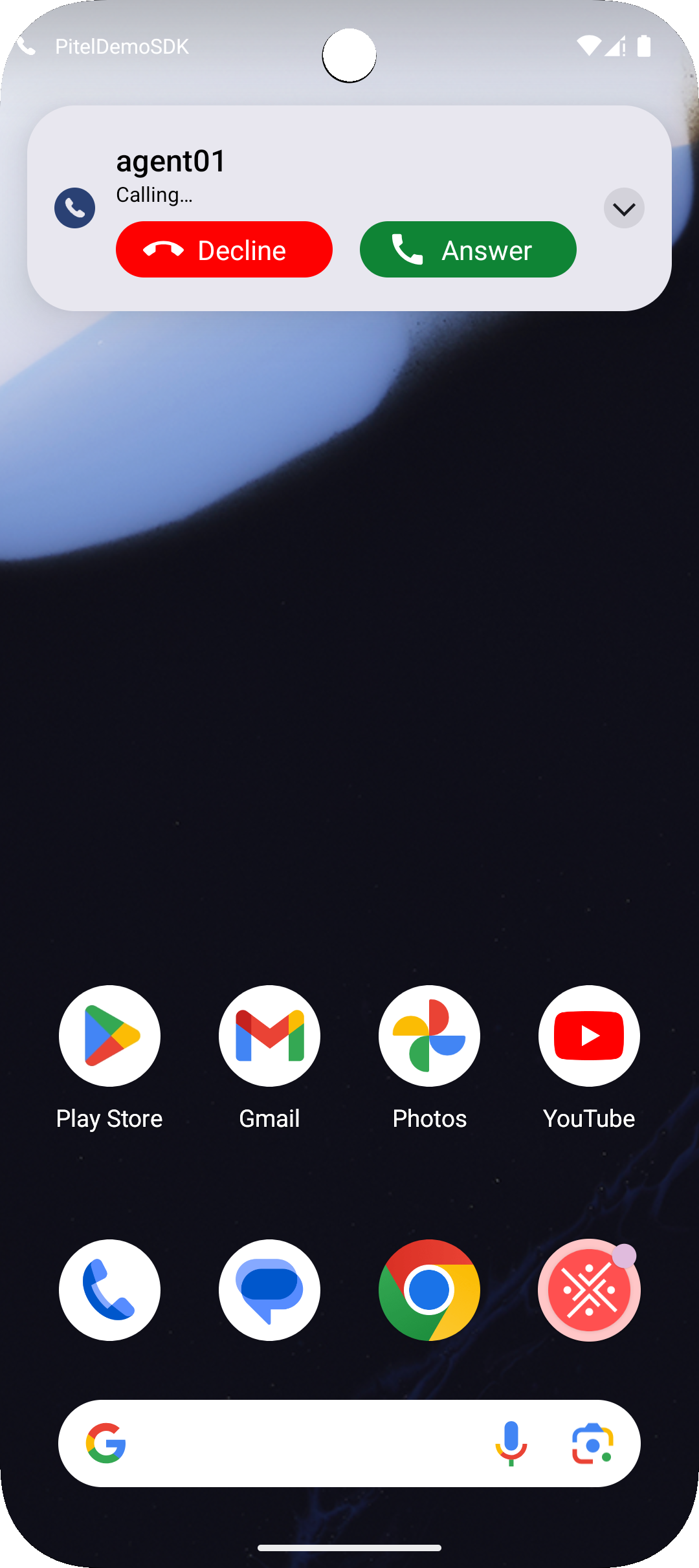 | 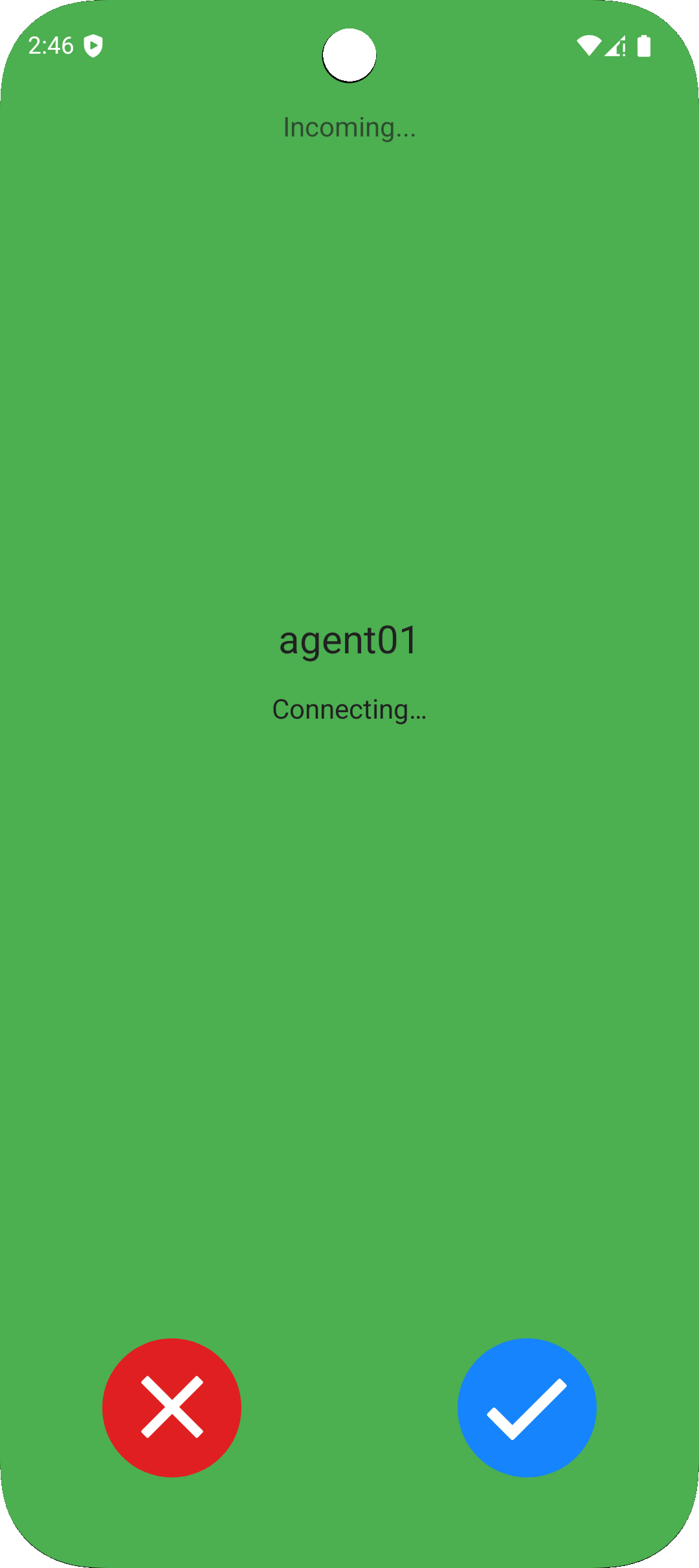 |
Setup & Certificate
Using FCM (Firebase Cloud Message) to handle push notification wake up app when app run on Background or Terminate
Warning Popup request permission only working with targetSdkVersion >= 33
- Access link https://console.firebase.google.com/u/0/project/_/notification
- Create your packageId for android app
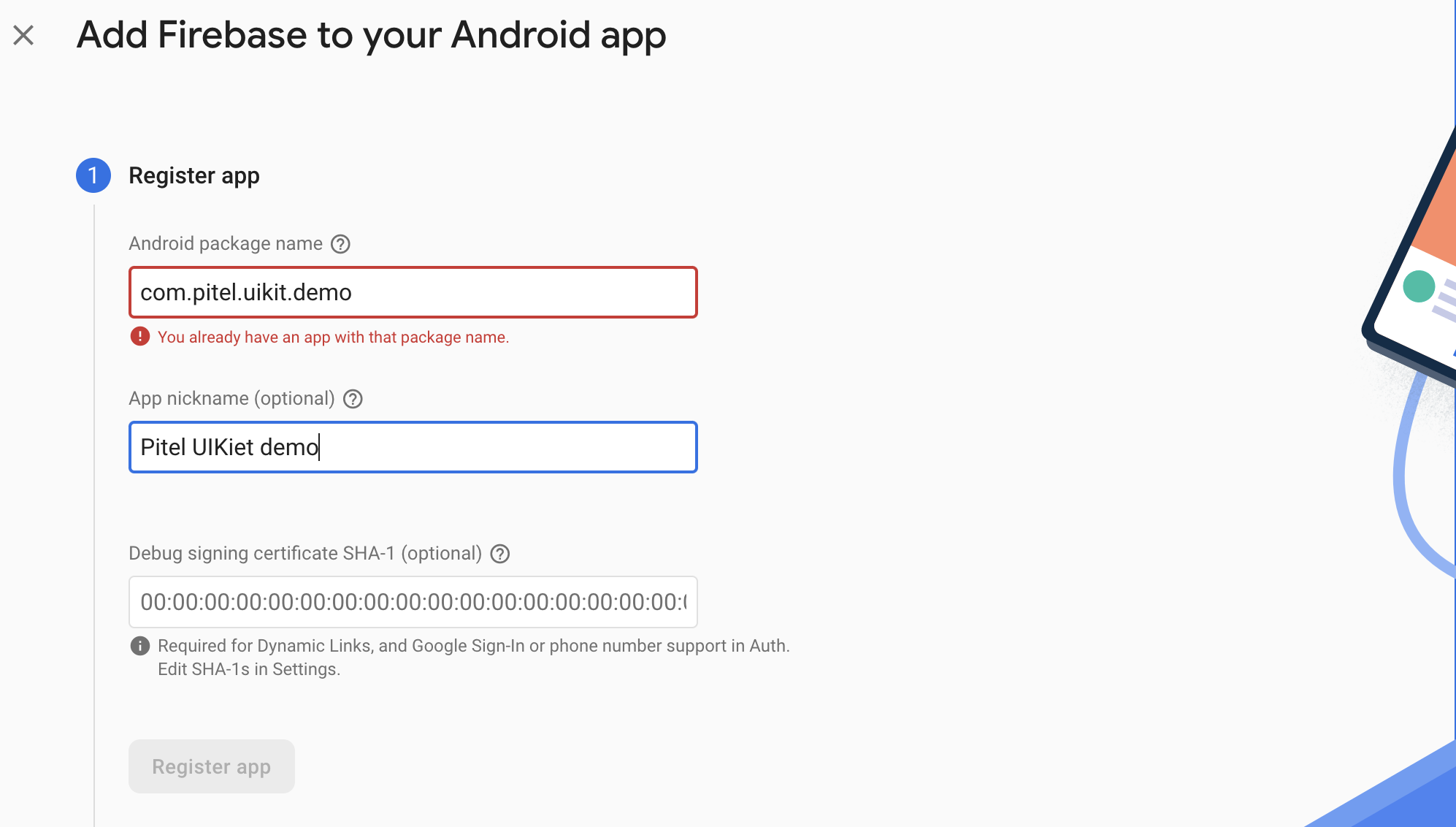
- Download & copy file google_service.json -> replace file google_service.json in path:
android/app/google_service.json
Firebase Project
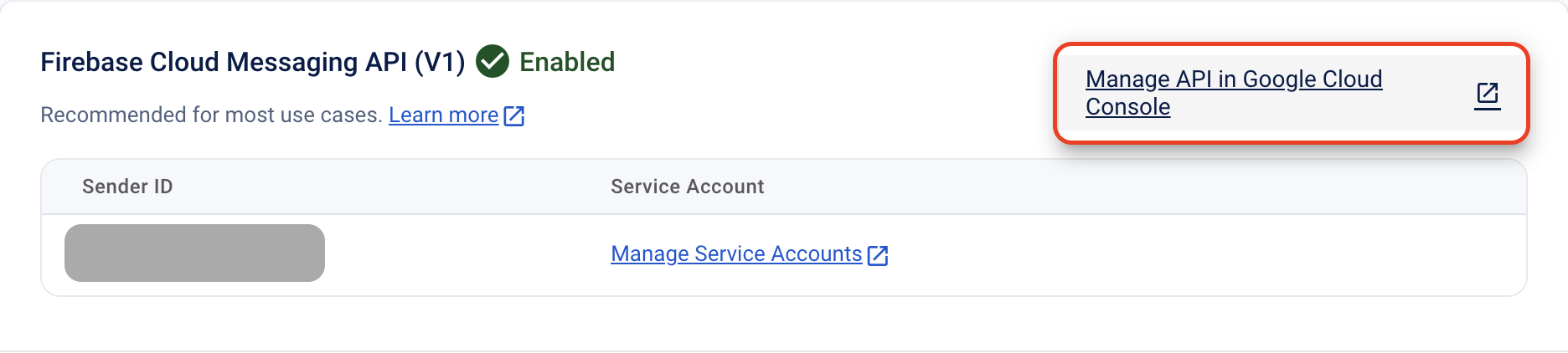
- Go to Project settings > Cloud Messaging and select Manage API in Google Cloud Console to open Google Cloud Console.
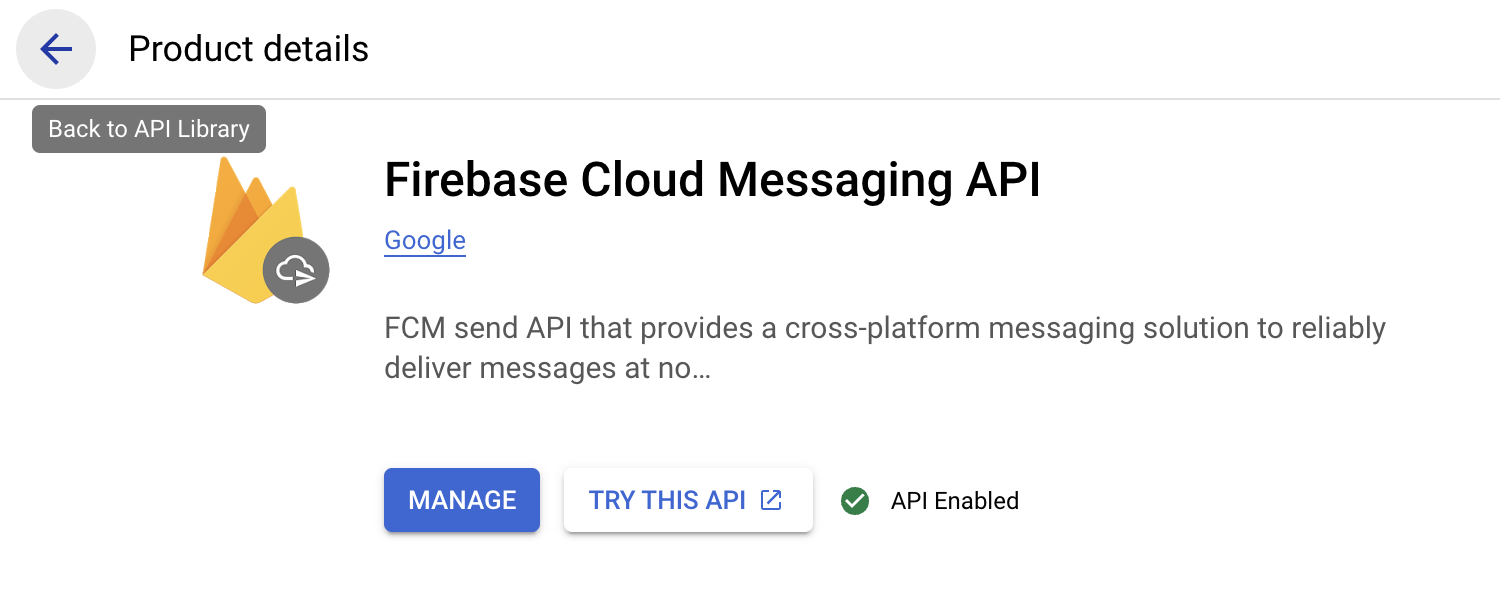
- Go to API Library using the back button as shown below.
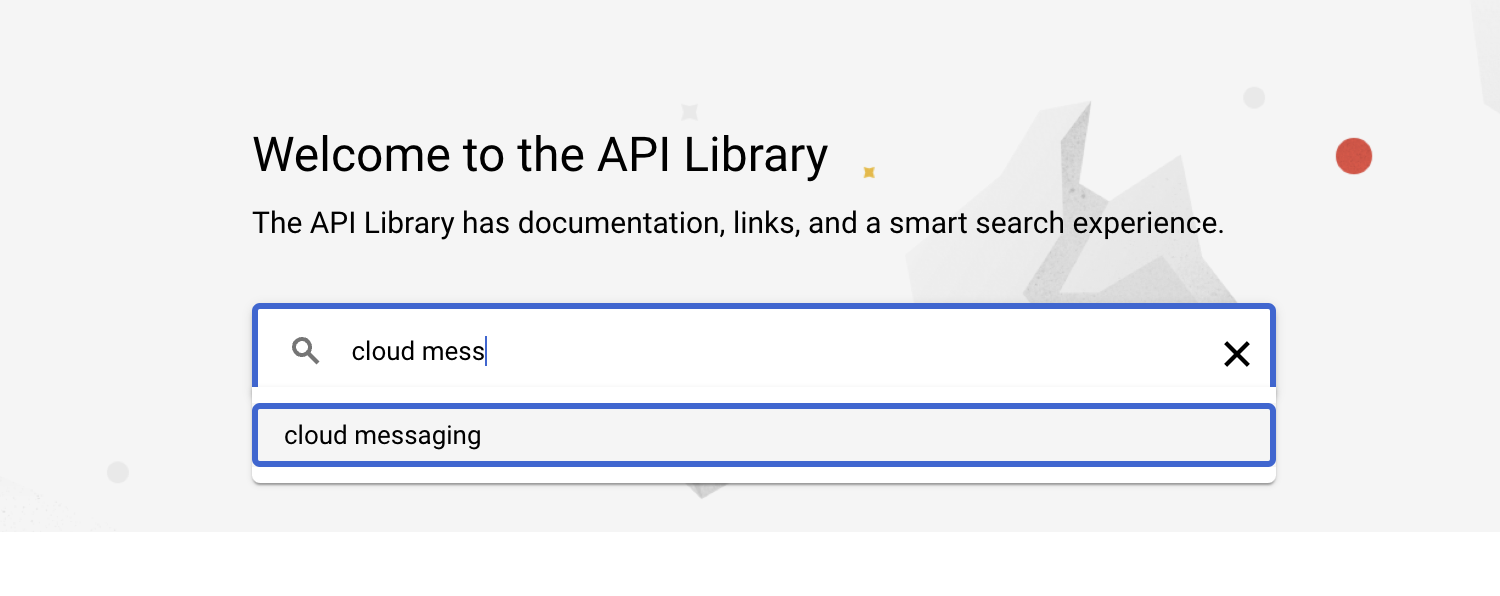
- Search "cloud messaging" -> Select "Cloud Messaging"
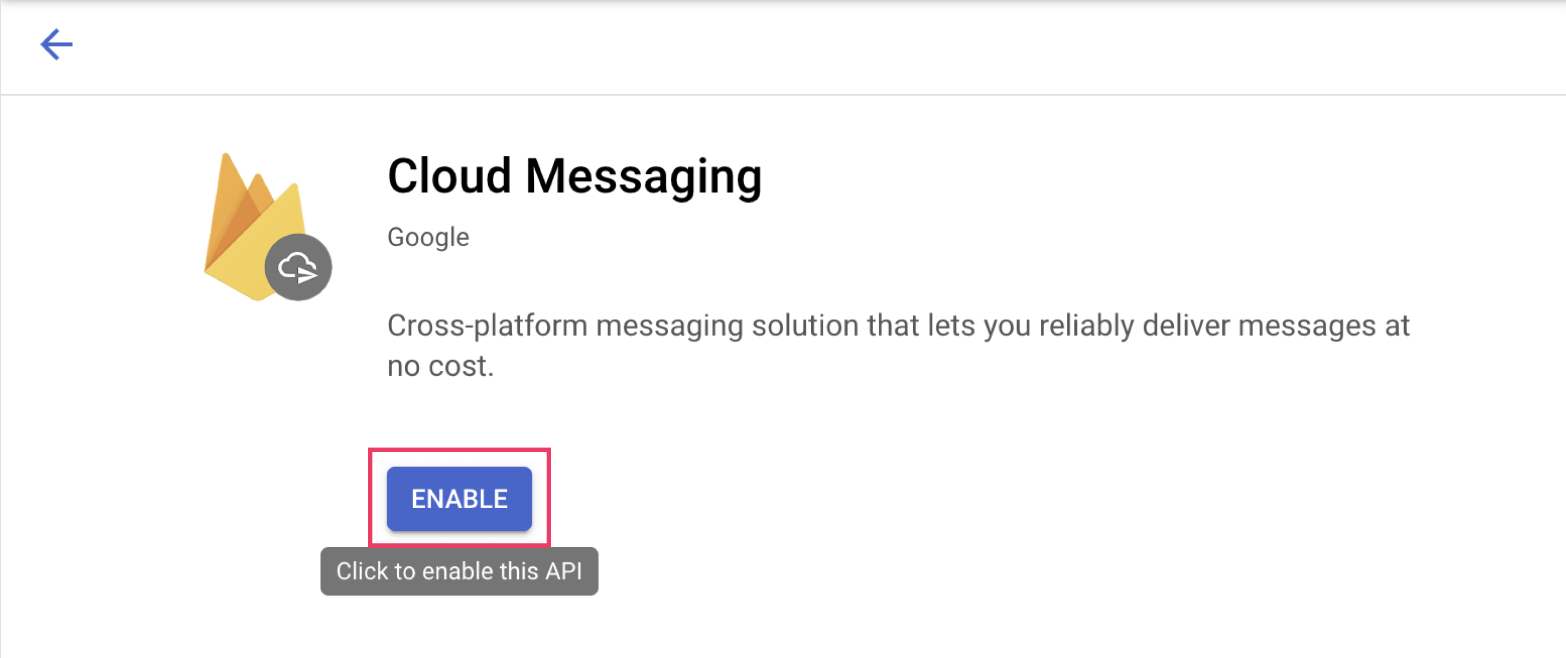
- Click Enable to start using the Cloud Messaging API.
Service Account
- Go to Project settings > Cloud Messaging and select Manage API in Google Cloud Console to open Google Cloud Console.
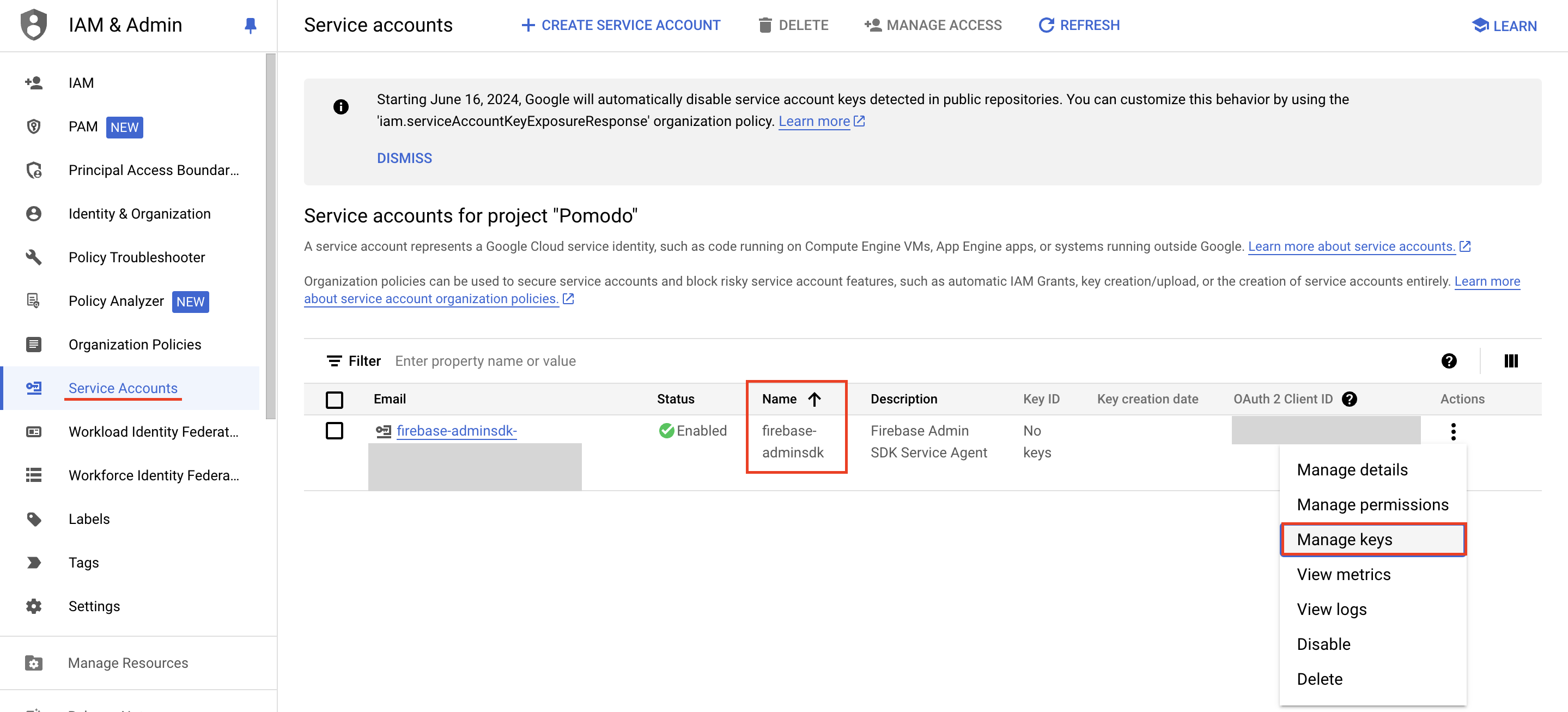
- In tab "Credentials", scroll to "Service Accounts", click button edit with name "firebase-adminsdk".
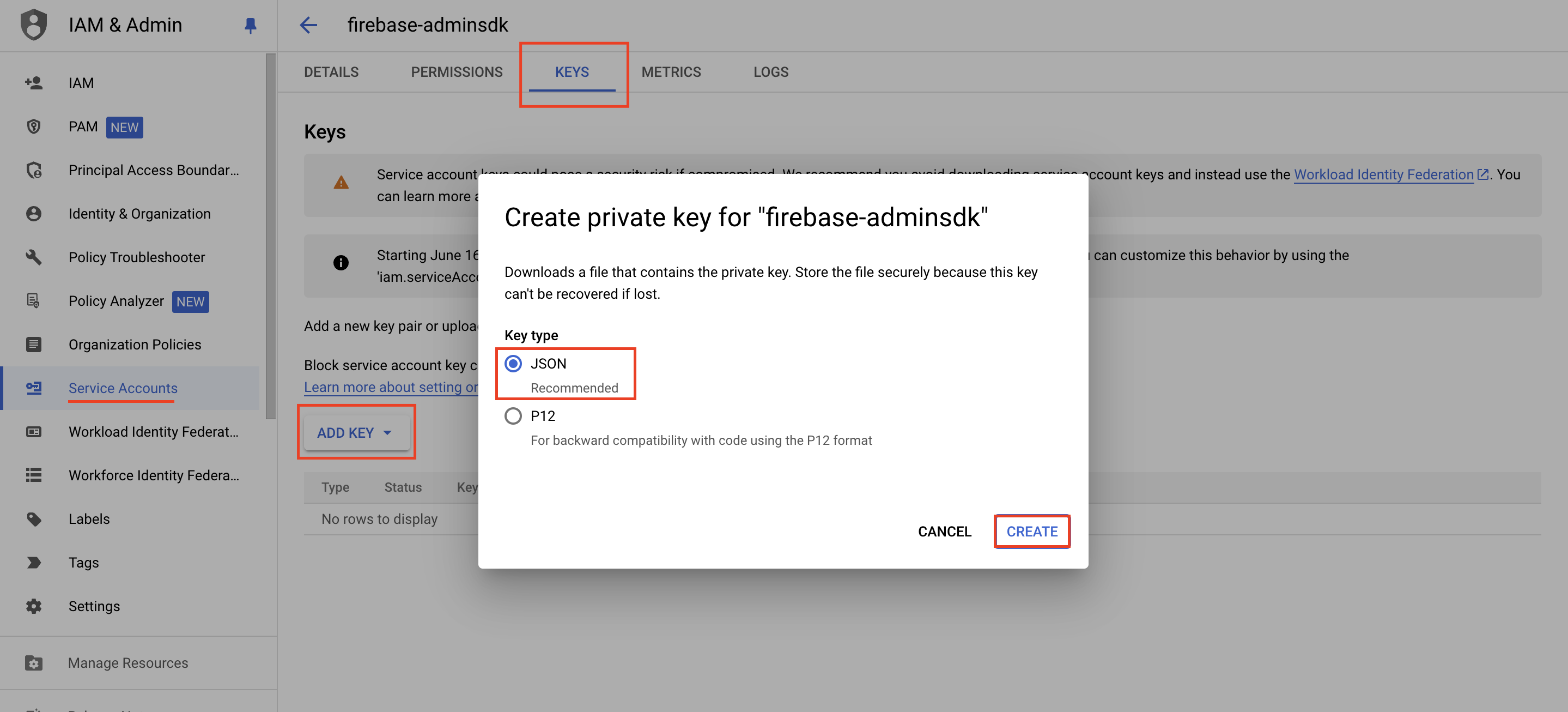
- Choose tab KEYS, click "Add key" -> "Create new key" and download json file.
Note
- After completing the above steps, please provide the information to configure push notifications on the portal
- Please check PORTAL_GUIDE.md to setup your config.
Using above app or test from Postman
How to get access token?
- Go to https://developers.google.com/oauthplayground/
- Navigate to Step 1 (Select & authorize APIs) → Select “Firebase Cloud Messaging API v1” and click “Authorize API’s” button.
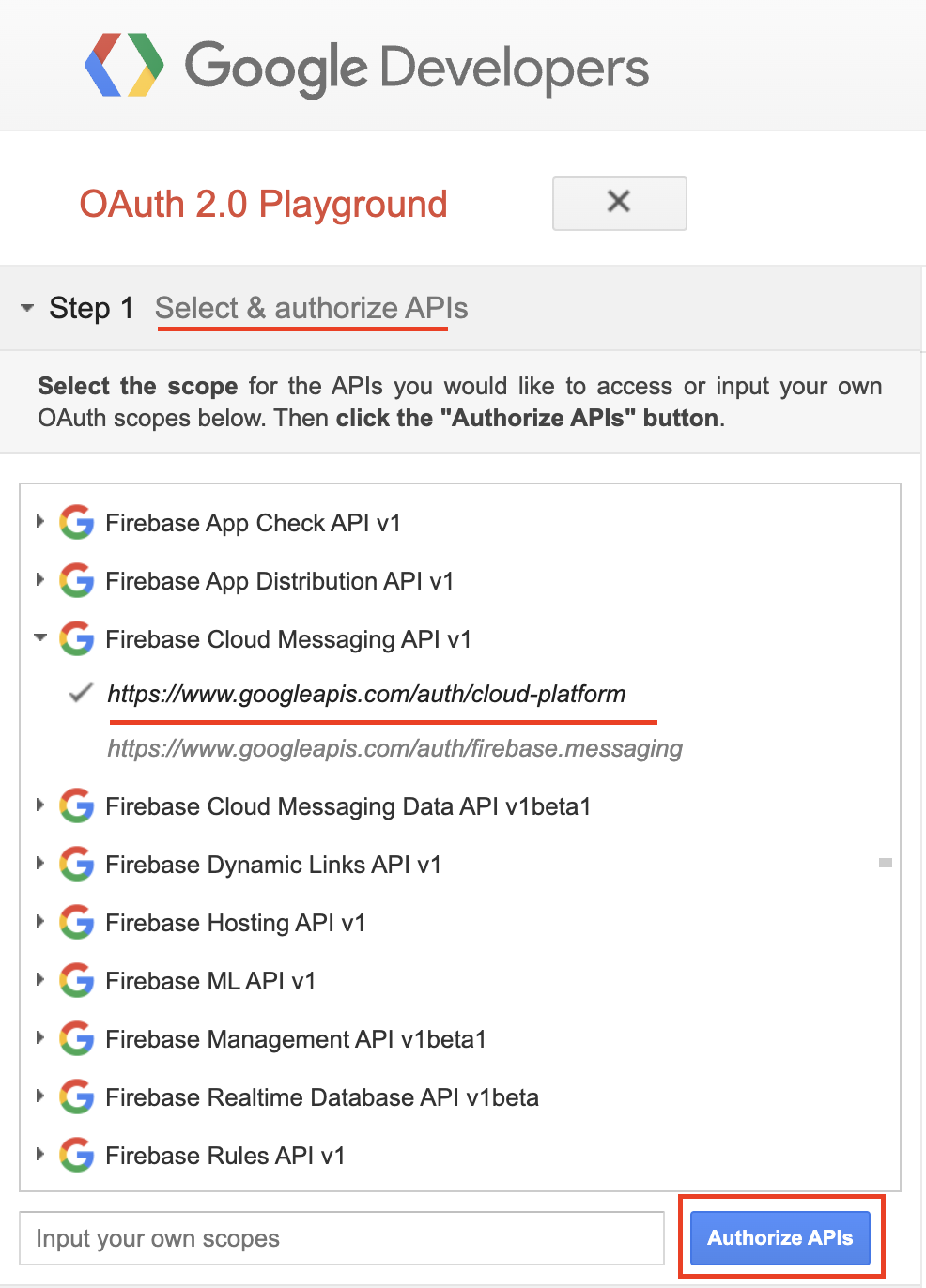
- You will be redirected to Authentication and needs permission for Google OAuth 2.0 Playground to view and manage the GCP services. Click “Allow” button.
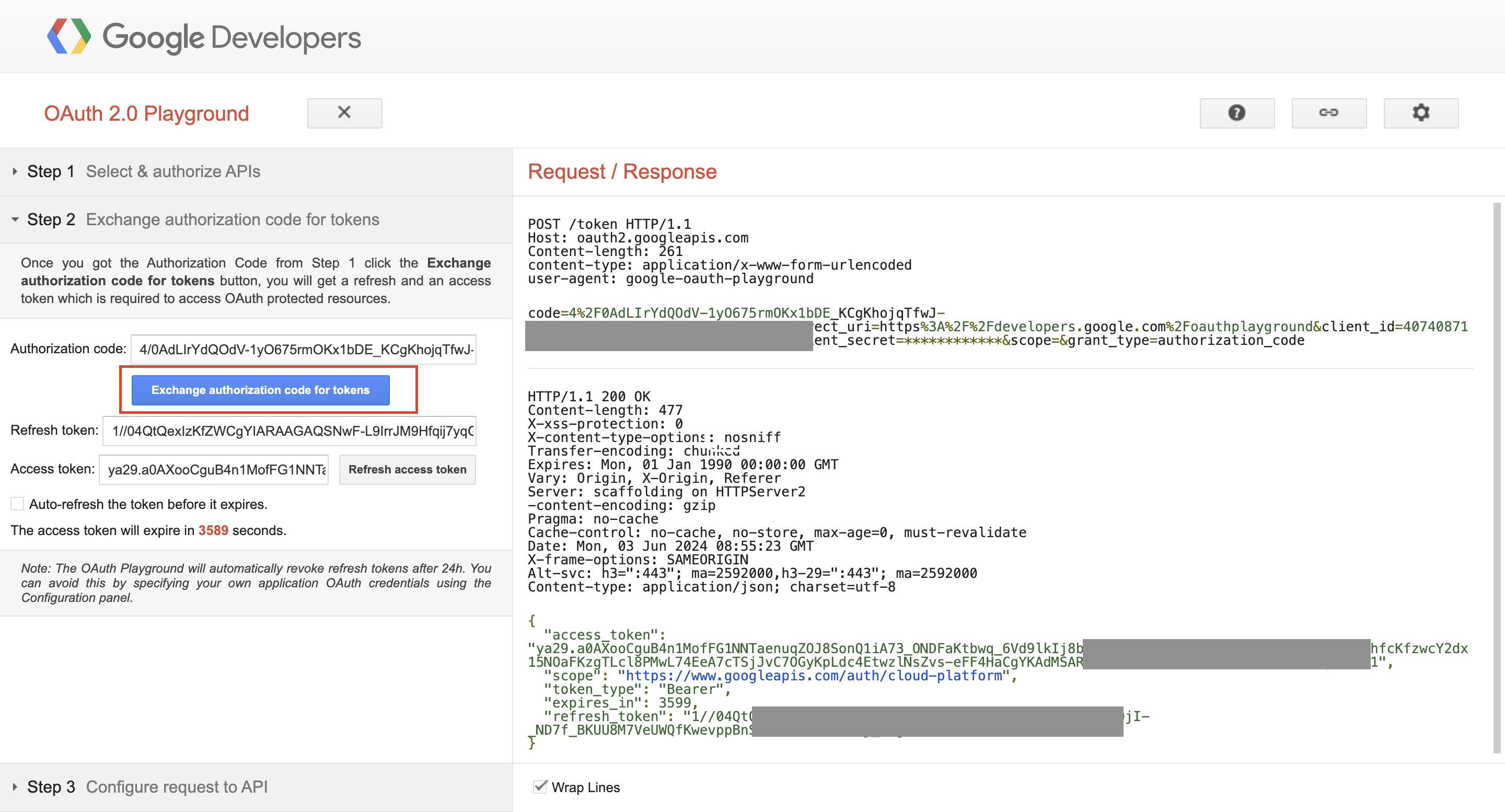
- Navigate to Step 2 (Exchange authorization code for tokens) → Click “Exchange authorization code for tokens” button.
This will generate “Refresh token” and “Access token”.
Note:
- project_id: this is your firebase project id.
- fcm_token: replace your fcm token, get from your device.
- access_token: get access token from oauth playground above.
cURL
curl --location 'https://fcm.googleapis.com/v1/projects/{project_id}/messages:send' \
--header 'Content-Type: application/json' \
--header 'Authorization: Bearer {access_token}' \
--data '{
    "message": {
        "notification": {
            "title": "",
            "body": ""
        },
        "data": {
            "uuid": "77712f3-9b56-4e26-96ea-382ea1206477",
            "nameCaller": "Pitel Voip",
            "phoneNumber": "101",
            "appName": "Pitel Connnect",
            "callType": "CALL"

        },
        "apns": {
            "headers": {
                "apns-priority": "1",
                "sound": ""
            },
            "payload": {
                "aps": {
                    "mutable-content": 1,
                    "content-available": 1
                }
            }
        },
        "android": {
            "priority": "high"
        },
        "token": "{fcm_token}"
    }
}'